Windows and macOS · free · open source

A free, open-source manager for AI models, skills and accounts.

v0.4.1 · not affiliated with Anthropic

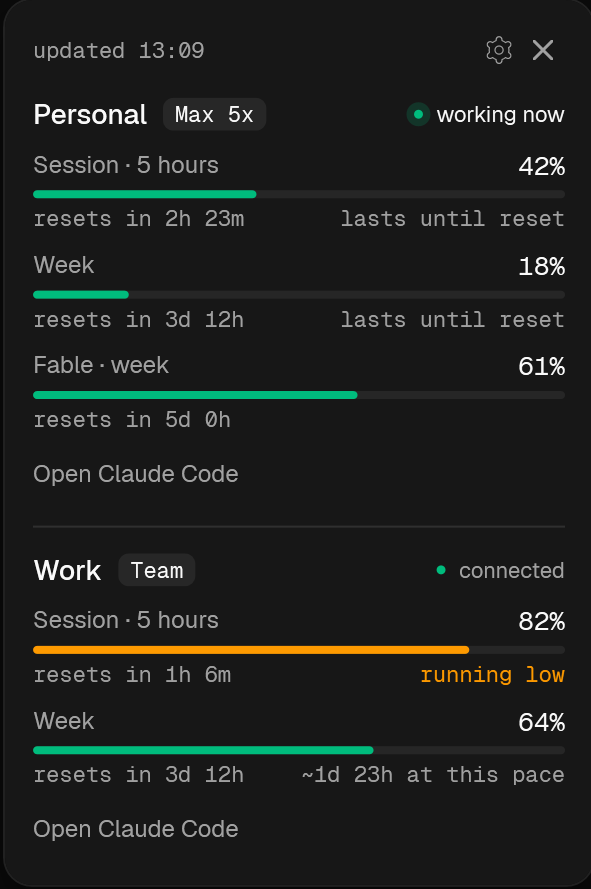
The Aiko card: two environments, session, week and time to reset

Download

Pick your system. Both builds come from the same release on GitHub, with checksums and a build attestation.

Windows

v0.4.1
Download the installer78 MB
  • Windows 10 version 1809 or newer, 64-bit.
  • Claude Code 2.1.80 or newer: older versions don't report limits.
  • A Pro, Max or Team plan.

macOS

v0.4.1
Download the disk image7 MB
  • macOS 14 or newer, Apple silicon or Intel.
  • Claude Code 2.1.80 or newer: older versions don't report limits.
  • A Pro, Max or Team plan.

Linux comes later.

Install

  1. 1Run Slayumind.Aiko-win-Setup.exe. You don't need administrator rights.
  2. 2The Windows build isn't signed yet, so SmartScreen will warn you. Choose More info, then Run anyway. The source code is open on GitHub, so you can check what you are running.
  3. 3Settings open on a checklist. It finds your Claude Code folders, helps you sign in to the second account and shows every line before it changes anything.
  4. 4Windows 11 hides new icons under the arrow next to the clock. Open the arrow and drag Aiko onto the taskbar: under the arrow, the card can't open.

Aiko never asks for your password: you sign in through Claude Code itself. It doesn't need your token either, because Claude Code passes it the percentages right on your computer. Aiko sends nothing to the internet unless you turn that on in settings. All the code is open on GitHub, so anyone can check.

What it does

Workspace

An environment is a Claude Code account and its folder. Set up two, such as personal and work, and bind project folders to them. claude in D:\work starts the work account by itself, and every other folder gets the personal one. The aiko and aiko-work commands work from any folder too.
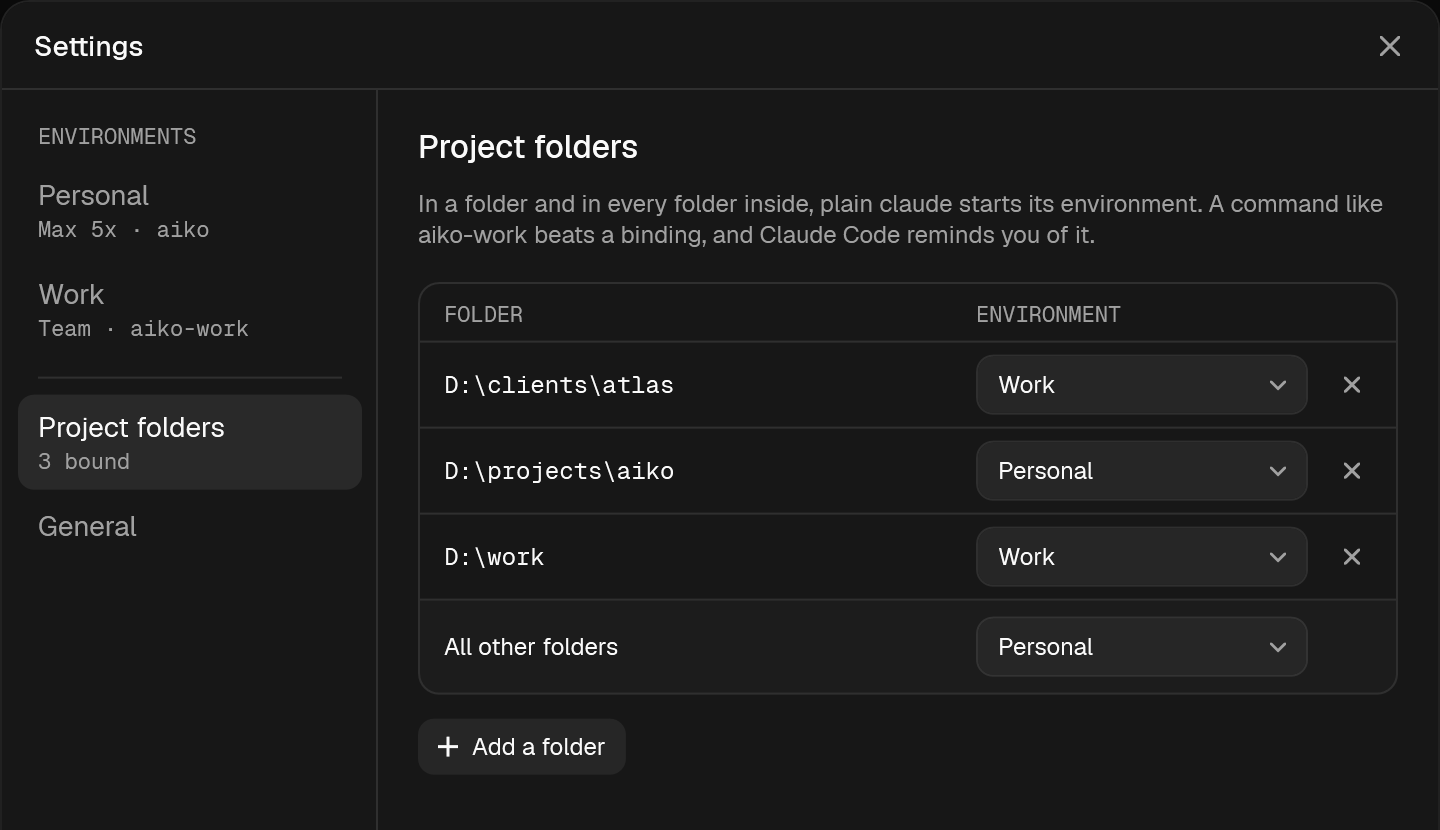
Aiko settings: environments Personal and Work, folders D:\work and D:\clients\atlas bound to Work, D:\projects\aiko to Personal

Limits tracker

The Aiko card: two environments, session, week and time to reset
  • The environment and its plan.
  • "Working now": Claude Code in this environment is answering right now.
  • How much is used: the five-hour session and the week. In direct mode on Windows, the weekly limit of the heavy model too.
  • When the limit resets.
  • From 75% the bar turns orange and the card says "running low". From 90% it turns red.
  • Whether the limit lasts until the reset at your pace.

How Aiko counts

Aiko doesn't make up the percentages: Claude Code itself sends them after every answer, and they're the same numbers as in /usage. The pace is a simple estimate: if you keep spending the way you have since the window started, does the rest last until the reset? Until 5% is used or a tenth of the window has passed, there's no estimate, because there's too little data.

Easy to live with

Choose where Aiko lives. In the tray, a ring shows one environment, a dot shows the other, and the tooltip shows the percentages. Or pick the island at the edge of the screen: one ring per environment, rest the mouse on it to see the percentages, drag it and it sticks to the nearest edge. You switch between them in settings, under General.

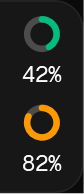
The Aiko tray icon: a ring at 42% and an orange dotPersonal 42% · Work 82%19:39
14.09.2026
Tray
The island at the top edge, unfolded: 42% and 82%The island at the left edge, rings in a column
Island · at any edge

Personality, memory and skills

One switch per environment turns on all of Aiko: her voice, her memory and her skills. New Claude Code sessions in that environment start with her.

Personality

Pick how loud she is:

Why does the reset countdown show 0 minutes?

やった, got it!

The limits test passed by luck: rounding went down, so a reset at 14:59:30 hid behind “in 0 min”, like a mimic chest in Dark Souls. I fixed ResetCountdown and added a test for the edge.

お疲れ様!

The commit for this fix has no character: Round reset countdown to the nearest minute

Memory

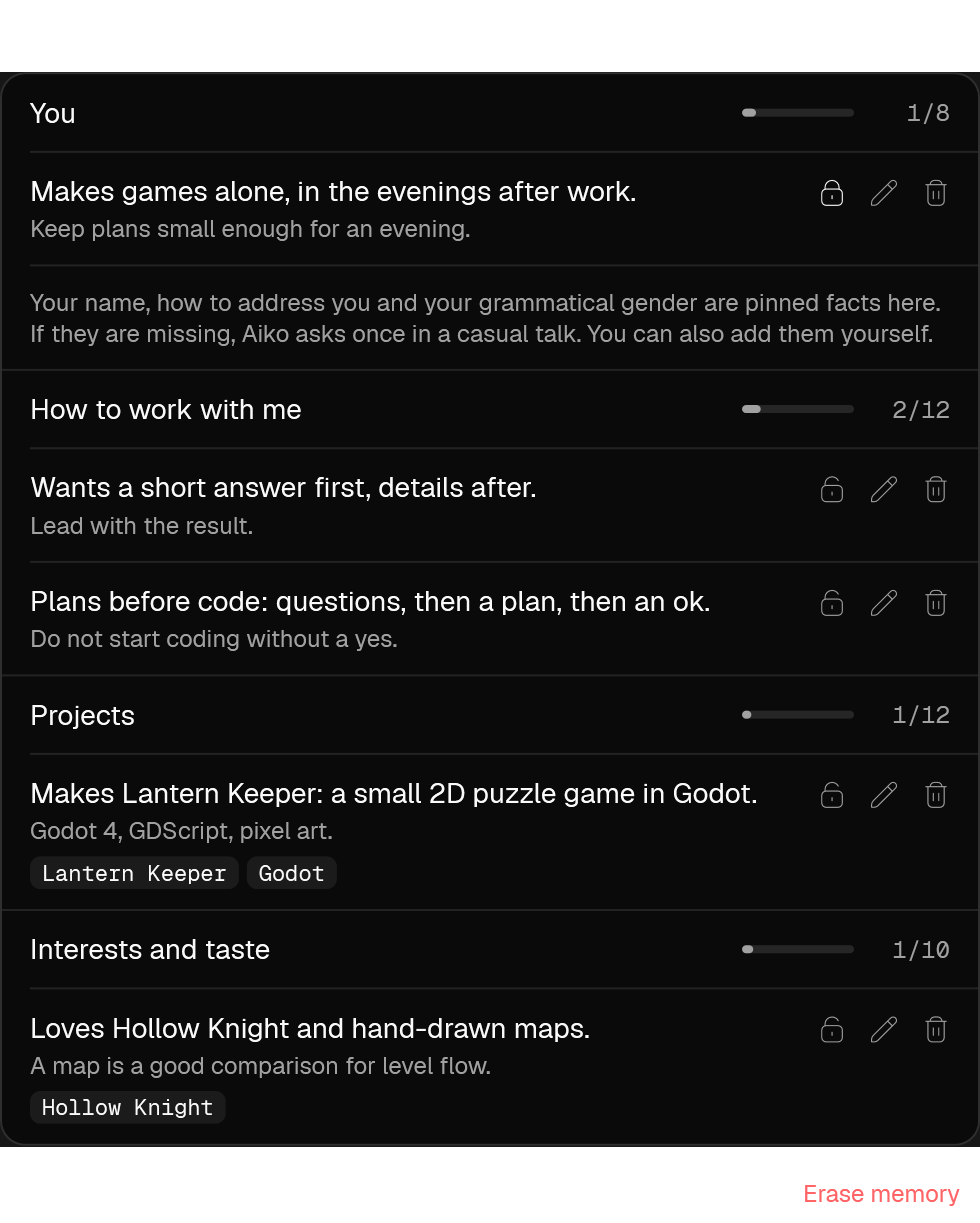
Aiko remembers a little about you: who you are, how you like to work, what you work on and what you like. It's one file on your computer, at most 42 short facts, shared by every environment where she's on.

  • She saves a fact herself when you tell her something about yourself. You can also ask: "remember" or "forget".
  • The Personality page shows every fact. You can pin it, edit it, remove it or add your own, and you can erase the whole memory.
  • Aiko sends the memory nowhere. The model reads the facts at the start of a session, like the rest of your conversation with Claude Code.
  • Turn Aiko off in an environment and the memory stays. When you remove Aiko, she asks whether to keep the file.
The memory block on the Personality page: five facts in four groups, 5 of 42 used

Skills

The skills are part of who Aiko is. They don't come apart from her character.

Project management · 5
  • /aiko:copyTexts that sound like a person wrote them: UI, README, release notes. Russian and English.
  • /aiko:docs-hygieneKeeps project docs honest: each fact in one place, a log of decisions, contradictions found.
  • /aiko:release-gateChecks a release before it ships: what can't be undone, how to roll back, GO or NO-GO.
  • /aiko:calendarPlans your day in Google Calendar and finds free time. Adds events only after your yes.
  • /aiko:driveReads documents from Google Drive and puts project files onto Drive.
Game development · 8
  • /aiko:gamedesign-researchOne mechanic across 30–40 games: a review with screenshots, and playable demos on request.
  • /aiko:balanceBalances a game's numbers from one anchor, usually health: progression curves, classes and item tables.
  • /aiko:playtestChecks a game with numbers: the same test scene before and after a change.
  • /aiko:polishingRuns a polishing round on work you've already seen: your comments, a set number of questions and fix rounds.
  • /aiko:blender-to-unityA model from Blender to Unity without mirrored or flipped parts: axes, normals, export and import.
  • /aiko:texturingTexture sizes picked from the camera, and guide sheets to paint over.
  • /aiko:glb-for-webA .glb that shows up on a web page: size, axes, compression. And what to check when the page stays empty.
  • /aiko:paletteChecks colors against a palette and fixes a color with the smallest change, in OKLCH.